> ## Documentation Index
> Fetch the complete documentation index at: https://docs.bolta.io/llms.txt
> Use this file to discover all available pages before exploring further.
# CLI
> Guides you through terminal-based tax invoice issuance, retrieval, and management using the Bolta CLI.
Some links point to the service guide, which is currently available in Korean only.
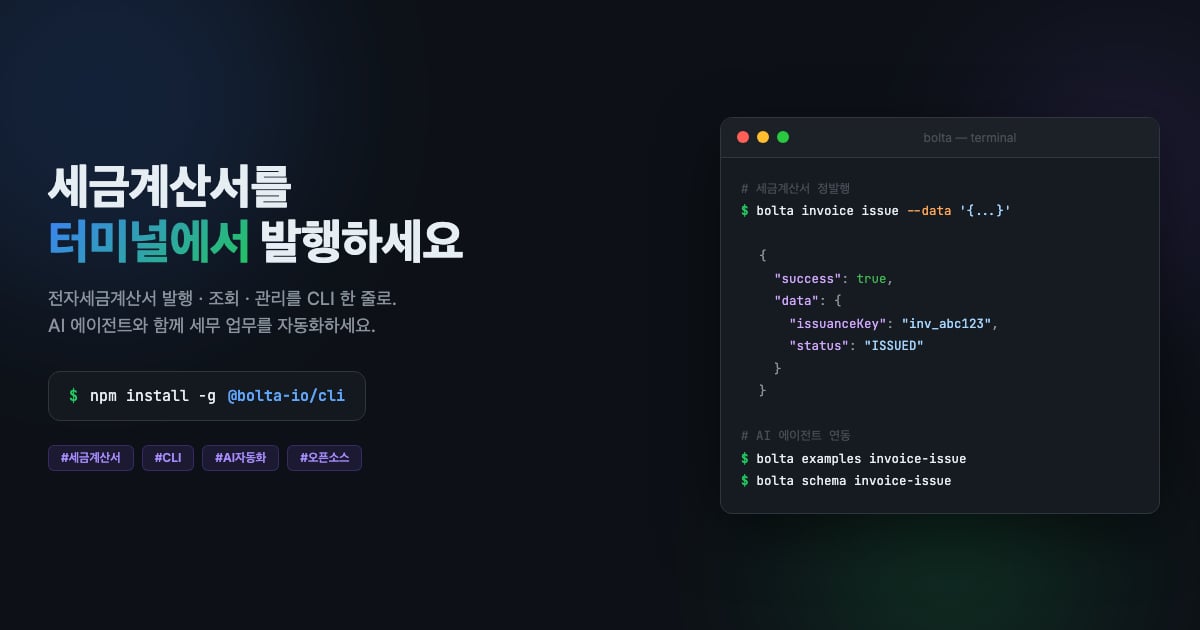 The Bolta CLI is a command-line tool for issuing and managing tax invoices from the terminal.
It is designed to be used by AI agents (such as Claude Code) to automate tax invoice tasks.
## Installation
```bash theme={"dark"}
npm install -g @bolta-io/cli
```
Node.js 20.0.0 or later is required.
## Authentication setup
You need an API key to use the Bolta API. Configure it via environment variables or a CLI command.
```bash theme={"dark"}
# Option 1: Environment variables (recommended)
export BOLTA_API_KEY="test_your_key"
export BOLTA_SUPPLIER_KEY="SupplierKey_abc123"
# Option 2: CLI command (persistent storage - ~/.bolta/config.json)
bolta config set api-key test_your_key
bolta config set supplier-key SupplierKey_abc123
# Test the connection
bolta config test
```
Authentication resolution priority: CLI flag (`--api-key`) > environment variable (`BOLTA_API_KEY`) > config file (`~/.bolta/config.json`)
For API key issuance, see the [Developer Center API Key Management](/docs/developer-center/api-key) page.
## Commands
### Supplier management
The `supplier` command registers and retrieves the supplier (issuer) that issues tax invoices.
```bash theme={"dark"}
# Register a supplier
bolta supplier create --data '{
"identificationNumber": "1234567890",
"organizationName": "Test Corp.",
"representativeName": "Gildong Hong"
}'
# Retrieve a supplier
bolta supplier get
```
### Certificate management
```bash theme={"dark"}
# Retrieve the certificate registration URL
bolta certificate url
# Retrieve the certificate registration status
bolta certificate status
# Unregister the certificate
bolta certificate deregister
```
### Tax invoice issuance / retrieval
Replace every `YYYY-MM-DD` placeholder in the examples below with the actual issuance or amendment date before running the command.
```bash theme={"dark"}
# Standard tax invoice issuance
bolta invoice issue --data '{
"date": "YYYY-MM-DD",
"purpose": "CLAIM",
"taxType": "TAXABLE",
"supplier": {
"identificationNumber": "1234567890",
"organizationName": "Supplier Corp.",
"representativeName": "Gonggeup Kim",
"manager": { "email": "supplier@example.com" }
},
"supplied": {
"identificationNumber": "0987654321",
"organizationName": "Recipient Corp.",
"representativeName": "Gogaek Lee",
"managers": [{ "email": "buyer@example.com" }]
},
"items": [{
"date": "YYYY-MM-DD",
"name": "Software development service",
"supplyCost": 1000000,
"tax": 100000
}]
}'
# Retrieve a standard issuance sample for a recipient with a foreign registration number
# The CLI strips hyphens and spaces from the identification number before processing.
# Omit the top-level description or set it to null; passport numbers cannot be used.
bolta examples invoice-issue-foreign-supplied
# Request reverse issuance (recipient must use a business registration number only)
bolta invoice issue-request --data '{...}'
# Retrieve a tax invoice
bolta invoice get
# Retrieve status by Client-Reference-Id
bolta invoice status --reference-id
```
### Amendment
```bash theme={"dark"}
# Amendment: cancellation of contract
bolta invoice amend termination --date YYYY-MM-DD
# Amendment: change in supply cost
bolta invoice amend change-supply-cost --data '{
"date": "YYYY-MM-DD",
"taxType": "TAXABLE",
"items": [{
"date": "YYYY-MM-DD",
"name": "Price adjustment",
"supplyCost": -200000,
"tax": -20000
}]
}'
# Amendment: double issuance by mistake
bolta invoice amend double-issuance
```
The CLI first validates standard issuance, reverse issuance requests, and change-in-supply-cost amendment inputs using the same rules as the API. You can check the latest schema, including NTS XML transmission limits, with `bolta schema invoice-issue`.
### Configuration
```bash theme={"dark"}
bolta config set # api-key, supplier-key, base-url
bolta config show # Show the current configuration
bolta config test # Test the API connection
```
## Input methods
Commands that require data support three input methods.
```bash theme={"dark"}
# Inline JSON (recommended for AI agents)
bolta invoice issue --data '{"date":"YYYY-MM-DD", ...}'
# File reference
bolta invoice issue --file invoice.json
# Pipe input
cat invoice.json | bolta invoice issue --stdin
```
## Global options
| Option | Description |
| ---------------------- | --------------------------------------------------- |
| `--api-key ` | Override the API key |
| `--supplier-key ` | Override the Supplier Key |
| `--verbose` | Print verbose logs (stderr) |
| `--dry-run` | Print only the request data without calling the API |
## Output format
All responses are printed as JSON to stdout.
```json theme={"dark"}
// Success (exit code 0)
{ "success": true, "data": { ... } }
// Failure (exit code 1)
{ "success": false, "error": { "code": "...", "message": "...", "suggestion": "..." } }
```
## Error codes
| Code | Cause | Resolution |
| ------------------ | ----------------------- | ---------------------------------------------- |
| `AUTH_ERROR` | Missing/invalid API key | `bolta config set api-key ` |
| `VALIDATION_ERROR` | Invalid input data | Check the schema with `bolta schema ` |
| `INPUT_ERROR` | Invalid input method | Use one of `--data`, `--file`, or `--stdin` |
| `HTTP_400` | Bad request | Check error.message |
| `HTTP_404` | Resource not found | Check issuanceKey/supplierKey |
| `HTTP_429` | Rate limit exceeded | Automatic retry (up to 3 times) |
| `NETWORK_ERROR` | Network error | Check your internet connection |
## AI guide
This CLI provides the following guides so that AI agents can use it easily.
| Guide | Purpose | How to access |
| ---------------- | -------------------------------------------------- | --------------------------- |
| `CLAUDE.md` | Project guide that Claude Code reads automatically | Located in the project root |
| `llms.txt` | Reference document for general-purpose AI agents | Located in the project root |
| `bolta examples` | Ready-to-use sample JSON | `bolta examples [command]` |
| `bolta schema` | JSON input schema | `bolta schema [command]` |
| `--help` | Includes examples for every command | `bolta --help` |
```bash theme={"dark"}
# List available examples
bolta examples
# Retrieve a standard issuance sample JSON
bolta examples invoice-issue
# Retrieve a standard issuance sample JSON for a recipient with a foreign registration number
bolta examples invoice-issue-foreign-supplied
# Retrieve the standard issuance input schema
bolta schema invoice-issue
```
npm package page
The Bolta CLI is a command-line tool for issuing and managing tax invoices from the terminal.
It is designed to be used by AI agents (such as Claude Code) to automate tax invoice tasks.
## Installation
```bash theme={"dark"}
npm install -g @bolta-io/cli
```
Node.js 20.0.0 or later is required.
## Authentication setup
You need an API key to use the Bolta API. Configure it via environment variables or a CLI command.
```bash theme={"dark"}
# Option 1: Environment variables (recommended)
export BOLTA_API_KEY="test_your_key"
export BOLTA_SUPPLIER_KEY="SupplierKey_abc123"
# Option 2: CLI command (persistent storage - ~/.bolta/config.json)
bolta config set api-key test_your_key
bolta config set supplier-key SupplierKey_abc123
# Test the connection
bolta config test
```
Authentication resolution priority: CLI flag (`--api-key`) > environment variable (`BOLTA_API_KEY`) > config file (`~/.bolta/config.json`)
For API key issuance, see the [Developer Center API Key Management](/docs/developer-center/api-key) page.
## Commands
### Supplier management
The `supplier` command registers and retrieves the supplier (issuer) that issues tax invoices.
```bash theme={"dark"}
# Register a supplier
bolta supplier create --data '{
"identificationNumber": "1234567890",
"organizationName": "Test Corp.",
"representativeName": "Gildong Hong"
}'
# Retrieve a supplier
bolta supplier get
```
### Certificate management
```bash theme={"dark"}
# Retrieve the certificate registration URL
bolta certificate url
# Retrieve the certificate registration status
bolta certificate status
# Unregister the certificate
bolta certificate deregister
```
### Tax invoice issuance / retrieval
Replace every `YYYY-MM-DD` placeholder in the examples below with the actual issuance or amendment date before running the command.
```bash theme={"dark"}
# Standard tax invoice issuance
bolta invoice issue --data '{
"date": "YYYY-MM-DD",
"purpose": "CLAIM",
"taxType": "TAXABLE",
"supplier": {
"identificationNumber": "1234567890",
"organizationName": "Supplier Corp.",
"representativeName": "Gonggeup Kim",
"manager": { "email": "supplier@example.com" }
},
"supplied": {
"identificationNumber": "0987654321",
"organizationName": "Recipient Corp.",
"representativeName": "Gogaek Lee",
"managers": [{ "email": "buyer@example.com" }]
},
"items": [{
"date": "YYYY-MM-DD",
"name": "Software development service",
"supplyCost": 1000000,
"tax": 100000
}]
}'
# Retrieve a standard issuance sample for a recipient with a foreign registration number
# The CLI strips hyphens and spaces from the identification number before processing.
# Omit the top-level description or set it to null; passport numbers cannot be used.
bolta examples invoice-issue-foreign-supplied
# Request reverse issuance (recipient must use a business registration number only)
bolta invoice issue-request --data '{...}'
# Retrieve a tax invoice
bolta invoice get
# Retrieve status by Client-Reference-Id
bolta invoice status --reference-id
```
### Amendment
```bash theme={"dark"}
# Amendment: cancellation of contract
bolta invoice amend termination --date YYYY-MM-DD
# Amendment: change in supply cost
bolta invoice amend change-supply-cost --data '{
"date": "YYYY-MM-DD",
"taxType": "TAXABLE",
"items": [{
"date": "YYYY-MM-DD",
"name": "Price adjustment",
"supplyCost": -200000,
"tax": -20000
}]
}'
# Amendment: double issuance by mistake
bolta invoice amend double-issuance
```
The CLI first validates standard issuance, reverse issuance requests, and change-in-supply-cost amendment inputs using the same rules as the API. You can check the latest schema, including NTS XML transmission limits, with `bolta schema invoice-issue`.
### Configuration
```bash theme={"dark"}
bolta config set # api-key, supplier-key, base-url
bolta config show # Show the current configuration
bolta config test # Test the API connection
```
## Input methods
Commands that require data support three input methods.
```bash theme={"dark"}
# Inline JSON (recommended for AI agents)
bolta invoice issue --data '{"date":"YYYY-MM-DD", ...}'
# File reference
bolta invoice issue --file invoice.json
# Pipe input
cat invoice.json | bolta invoice issue --stdin
```
## Global options
| Option | Description |
| ---------------------- | --------------------------------------------------- |
| `--api-key ` | Override the API key |
| `--supplier-key ` | Override the Supplier Key |
| `--verbose` | Print verbose logs (stderr) |
| `--dry-run` | Print only the request data without calling the API |
## Output format
All responses are printed as JSON to stdout.
```json theme={"dark"}
// Success (exit code 0)
{ "success": true, "data": { ... } }
// Failure (exit code 1)
{ "success": false, "error": { "code": "...", "message": "...", "suggestion": "..." } }
```
## Error codes
| Code | Cause | Resolution |
| ------------------ | ----------------------- | ---------------------------------------------- |
| `AUTH_ERROR` | Missing/invalid API key | `bolta config set api-key ` |
| `VALIDATION_ERROR` | Invalid input data | Check the schema with `bolta schema ` |
| `INPUT_ERROR` | Invalid input method | Use one of `--data`, `--file`, or `--stdin` |
| `HTTP_400` | Bad request | Check error.message |
| `HTTP_404` | Resource not found | Check issuanceKey/supplierKey |
| `HTTP_429` | Rate limit exceeded | Automatic retry (up to 3 times) |
| `NETWORK_ERROR` | Network error | Check your internet connection |
## AI guide
This CLI provides the following guides so that AI agents can use it easily.
| Guide | Purpose | How to access |
| ---------------- | -------------------------------------------------- | --------------------------- |
| `CLAUDE.md` | Project guide that Claude Code reads automatically | Located in the project root |
| `llms.txt` | Reference document for general-purpose AI agents | Located in the project root |
| `bolta examples` | Ready-to-use sample JSON | `bolta examples [command]` |
| `bolta schema` | JSON input schema | `bolta schema [command]` |
| `--help` | Includes examples for every command | `bolta --help` |
```bash theme={"dark"}
# List available examples
bolta examples
# Retrieve a standard issuance sample JSON
bolta examples invoice-issue
# Retrieve a standard issuance sample JSON for a recipient with a foreign registration number
bolta examples invoice-issue-foreign-supplied
# Retrieve the standard issuance input schema
bolta schema invoice-issue
```
npm package page