> ## Documentation Index
> Fetch the complete documentation index at: https://docs.bolta.io/llms.txt
> Use this file to discover all available pages before exploring further.

# 팀원 관리

> 워크스페이스의 팀원 별 관한 관리를 할 수 있습니다.

# 1. 팀원 권한 변경

\[설정] -> \[팀원 및 권한] -> \[팀원] 에서 권한을 변경할 수 있어요. (권한 변경은 소유자 혹은 변경 권한을 가지고 있는 팀원만 변경할 수 있습니다.)
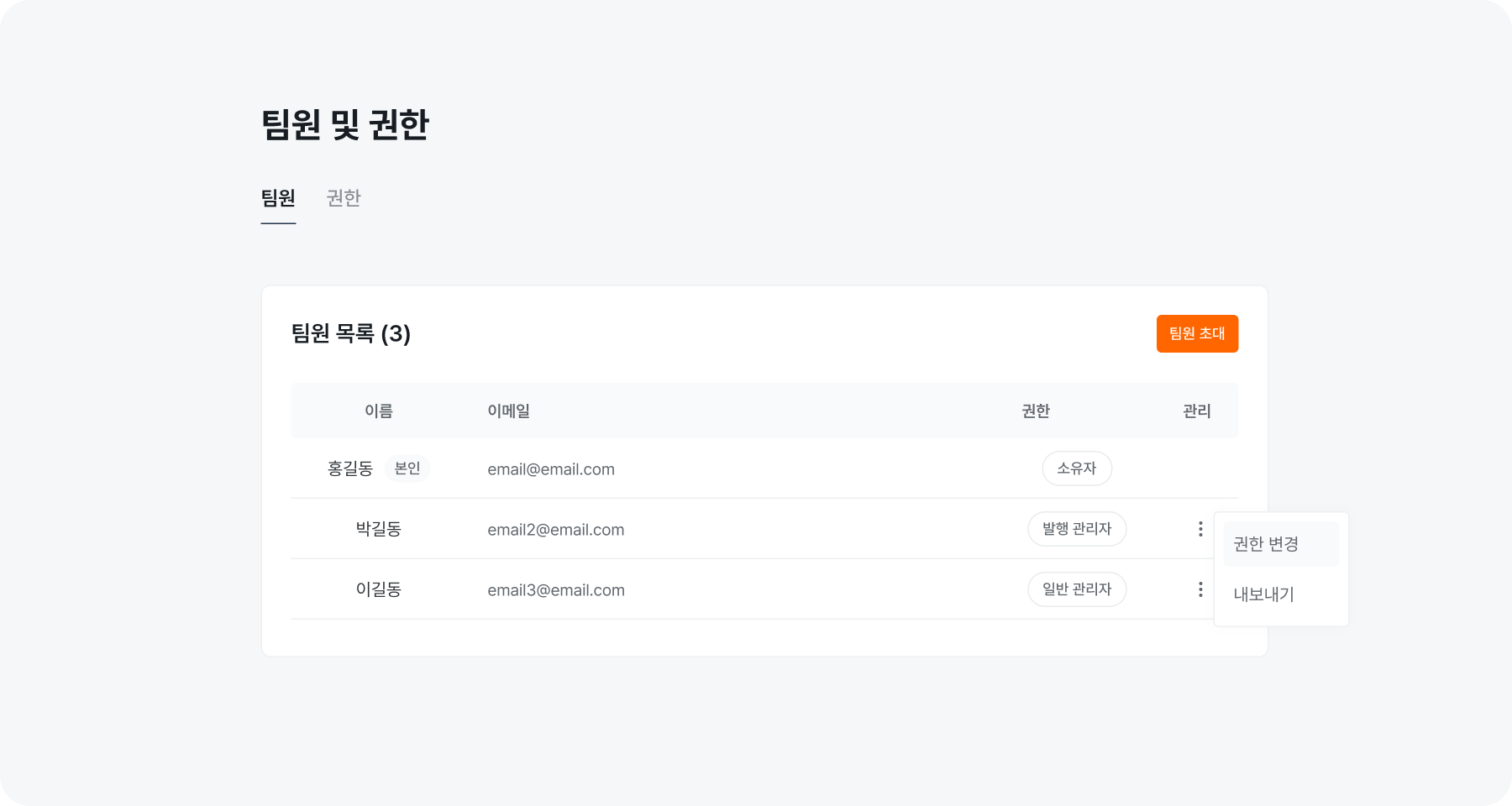
<img src="https://mintcdn.com/bolta/F7qtr7nJZw4vBk-O/images/docs/setting-team-team-management__change-role.png?fit=max&auto=format&n=F7qtr7nJZw4vBk-O&q=85&s=593d2f01800022fa0411cc8a54f61253" alt="setting team team management change role" width="1800" height="960" data-path="images/docs/setting-team-team-management__change-role.png" />

팀원 권한 변경 시에, 각 권한에 포함된 기능 또한 확인하실 수 있습니다.
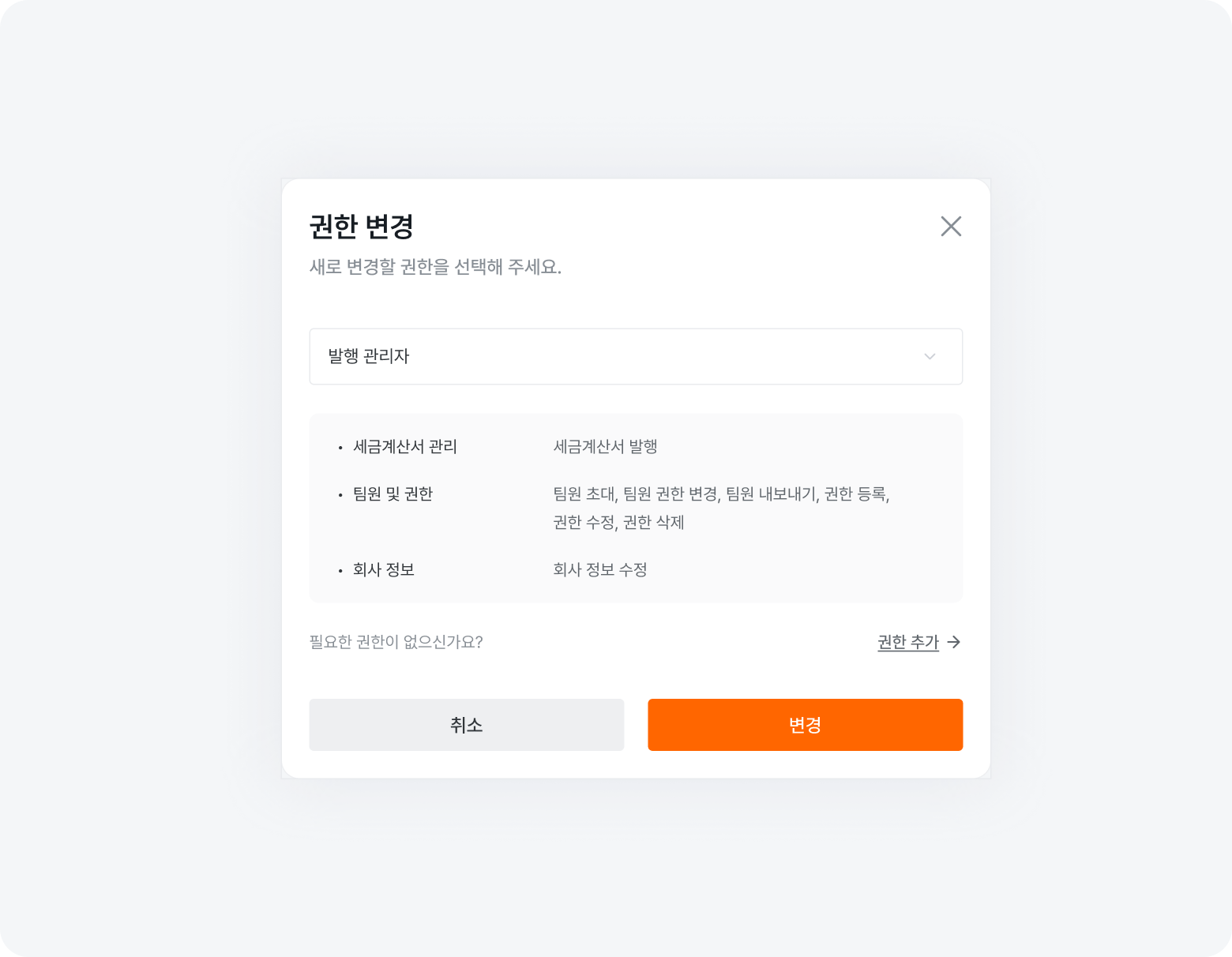
<img src="https://mintcdn.com/bolta/F7qtr7nJZw4vBk-O/images/docs/setting-team-team-management__change-role-dialog.png?fit=max&auto=format&n=F7qtr7nJZw4vBk-O&q=85&s=2587e8d8dca73cbae62ef4216061bac7" alt="setting team team management change role dialog" width="1560" height="1212" data-path="images/docs/setting-team-team-management__change-role-dialog.png" />

# 2. 팀원 내보내기

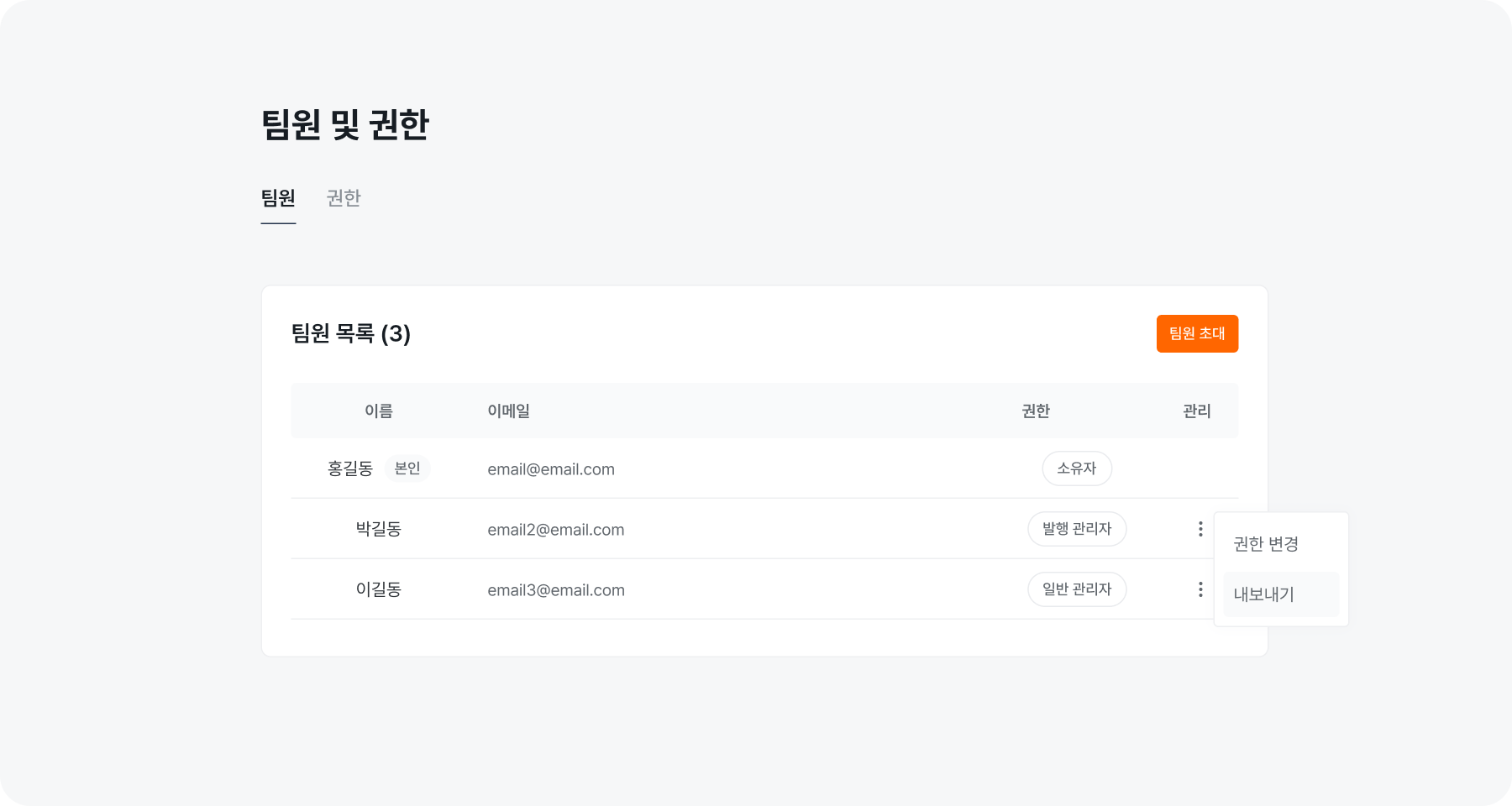
워크스페이스에서 팀원을 제외할 수 있어요. (내보내기 기능은 소유자 혹은 내보내기 권한을 가지고 있는 팀원만 가능합니다.)
<img src="https://mintcdn.com/bolta/F7qtr7nJZw4vBk-O/images/docs/setting-team-team-management__remove-member.png?fit=max&auto=format&n=F7qtr7nJZw4vBk-O&q=85&s=b74b7630ae6e98ed70748ce62aca0913" alt="setting team team management remove member" width="1800" height="960" data-path="images/docs/setting-team-team-management__remove-member.png" />
