> ## Documentation Index
> Fetch the complete documentation index at: https://docs.bolta.io/llms.txt
> Use this file to discover all available pages before exploring further.

# 출력하기 / PDF 저장

> 발행된 세금계산서를 출력하거나 PDF 파일로 저장할 수 있습니다.

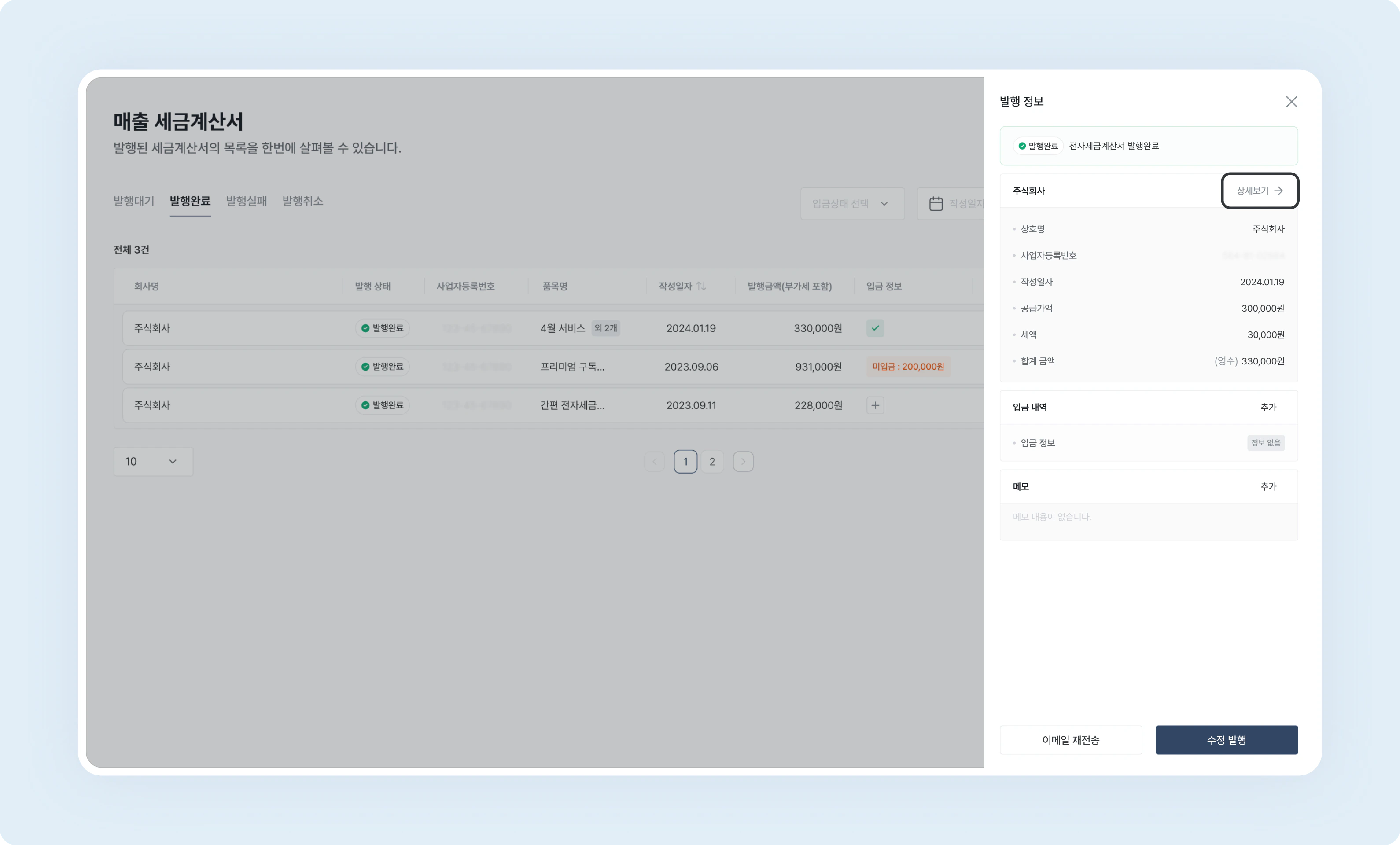
# 1. 상세 보기 클릭

\[매출 세금계산서] - \[세금계산서 선택] - \[상세정보]를 클릭하여 이미 발행된 세금계산서를 출력할 수 있어요.
<img src="https://mintcdn.com/bolta/kE8MNnpIvAO4CLQ5/images/docs/invoice-sales-management-print-and-pdf-export__view-detail.png?fit=max&auto=format&n=kE8MNnpIvAO4CLQ5&q=85&s=e40fe10a24f28e835697d65d10803c9f" alt="invoice sales management print and pdf export view detail" width="3180" height="1920" data-path="images/docs/invoice-sales-management-print-and-pdf-export__view-detail.png" />

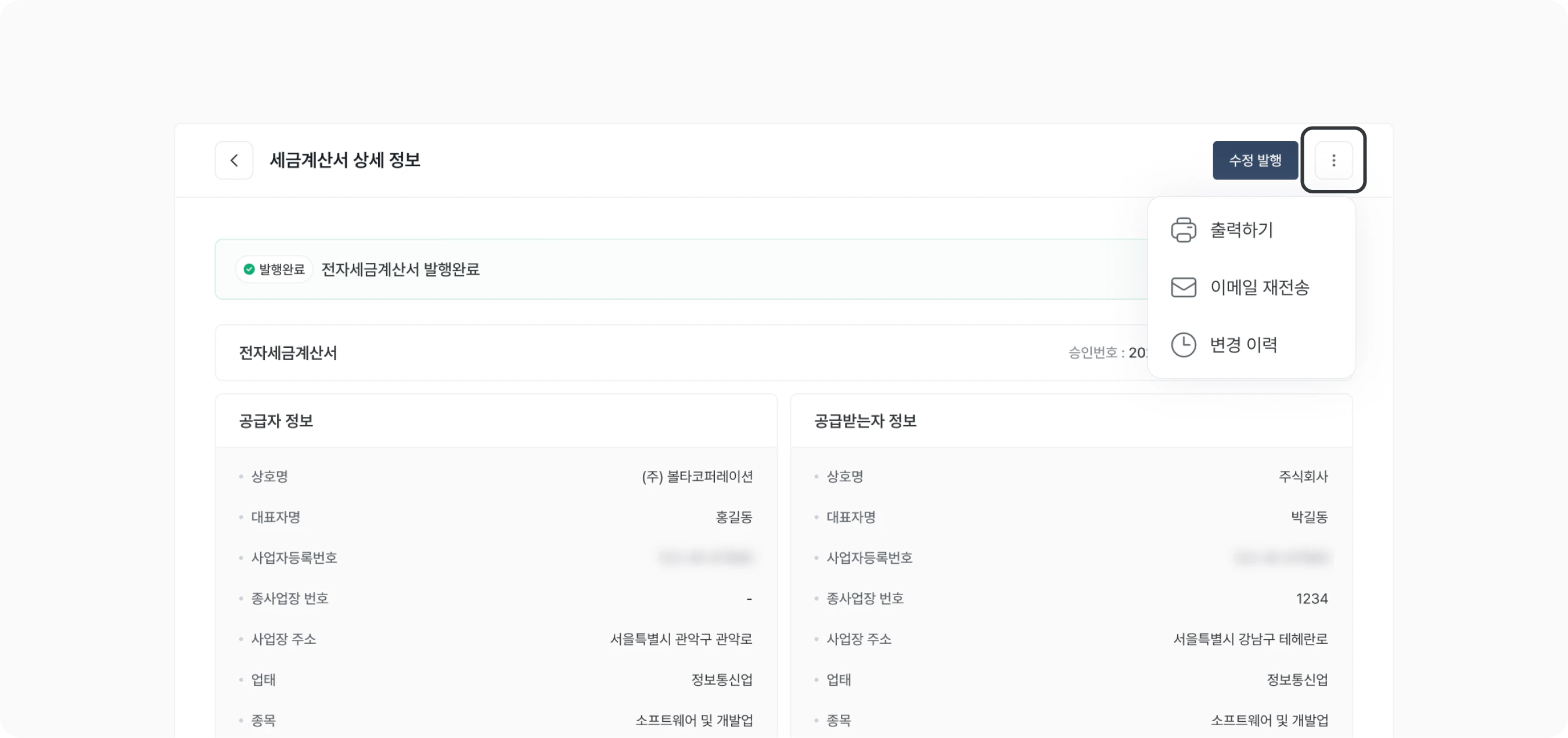
# 2. 더보기 버튼 클릭

우측 상단의 더보기 버튼을 클릭하면 \[출력하기] 버튼이 노출됩니다.
<img src="https://mintcdn.com/bolta/kE8MNnpIvAO4CLQ5/images/docs/invoice-sales-management-print-and-pdf-export__click-more.png?fit=max&auto=format&n=kE8MNnpIvAO4CLQ5&q=85&s=d2e63c01331f331207e0231a34f3042f" alt="invoice sales management print and pdf export click more" width="2700" height="1271" data-path="images/docs/invoice-sales-management-print-and-pdf-export__click-more.png" />

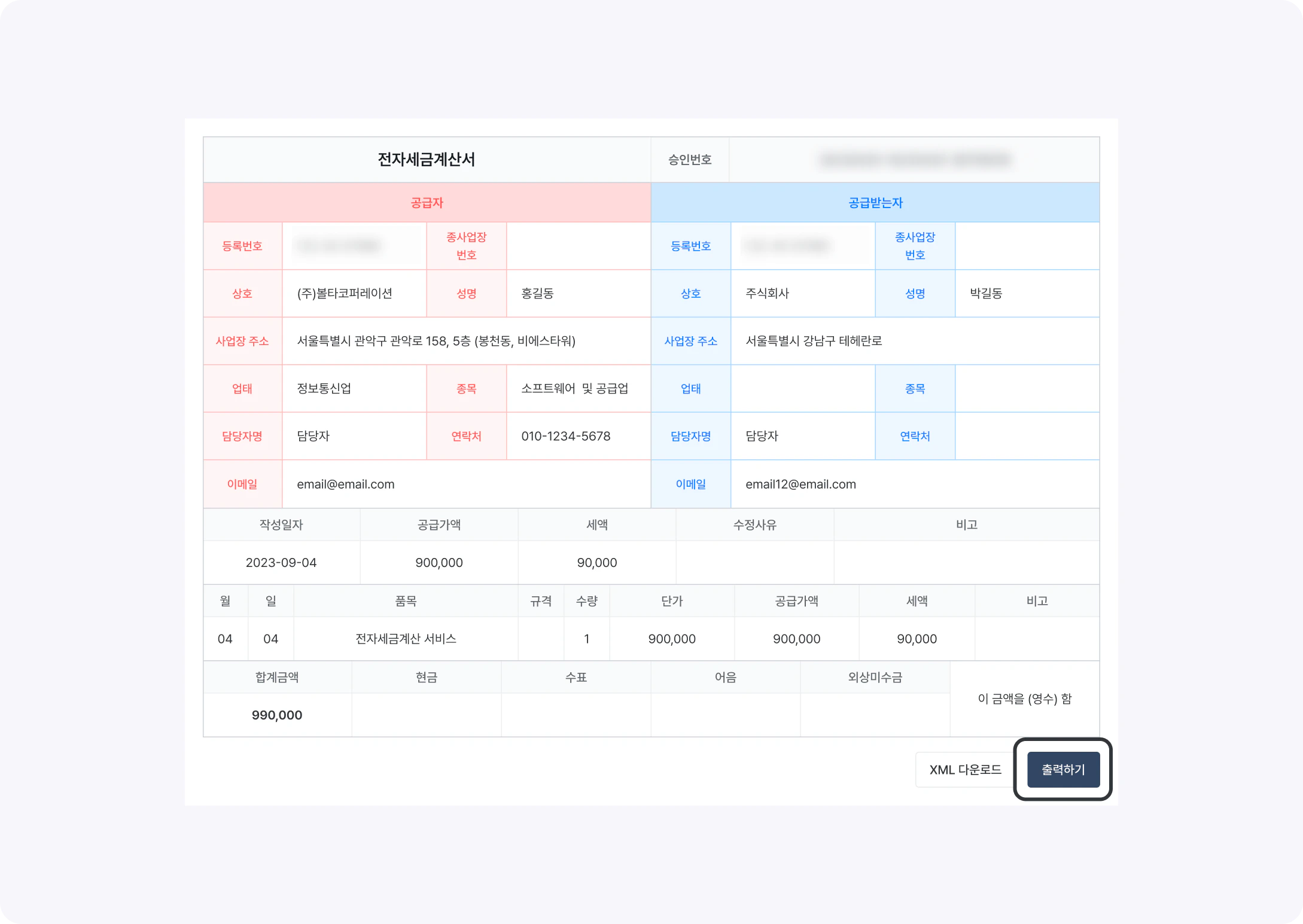
# 3. 출력하기 / PDF 저장하기

세금계산서 정보를 확인 후 우측 하단 출력하기 버튼을 클릭하면 출력 혹은 PDF 저장이 가능합니다.
<img src="https://mintcdn.com/bolta/kE8MNnpIvAO4CLQ5/images/docs/invoice-sales-management-print-and-pdf-export__print-pdf.png?fit=max&auto=format&n=kE8MNnpIvAO4CLQ5&q=85&s=ad48ea095bee1eb6fee096b5910bb5f2" alt="invoice sales management print and pdf export print pdf" width="2178" height="1545" data-path="images/docs/invoice-sales-management-print-and-pdf-export__print-pdf.png" />
